consumer electronics sizing and fit for tight footprints

By Sam Reeves · Senior Editor
Published June 1, 2026 · Last reviewed June 1, 2026
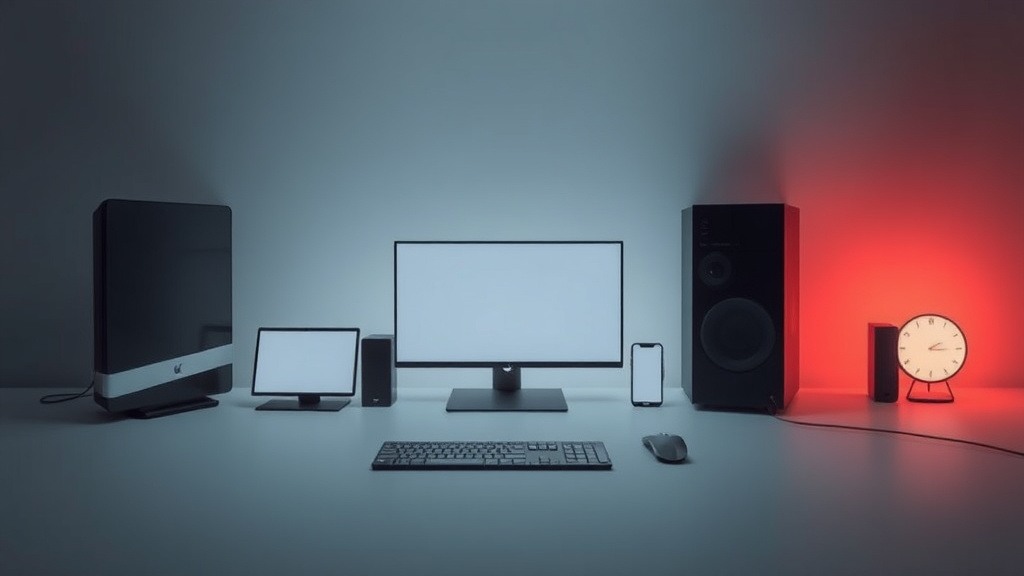
When space is tight, choosing consumer electronics that fit snugly without sacrificing performance is crucial. Whether you’re outfitting a compact home office or optimizing a small entertainment nook, understanding sizing and fit for tight footprints can save hassle and improve your setup.
Key takeaways
- Compact electronics can deliver high performance, but exact measurements and port access must be verified.
- Multi-function devices and modular designs maximize use of limited space.
- Consider ventilation needs and cable management to prevent overheating and clutter.
- Portable and foldable options often suit small footprints but check for durability trade-offs.
- Planning your space with precise dimensions before purchase is key to avoiding returns.
Why sizing and fit matter for small spaces
In smaller living environments or offices, consumer electronics often compete for limited surface area. This makes it essential to approach product selection beyond specs and price, factoring in how devices physically fit your space. I’ve seen many setups where oversized components created unnecessary clutter or were awkward to access, impacting usability and comfort.
For example, a large desktop printer may deliver quality results, but if it occupies half your desk or blocks access to other peripherals, it undermines the overall workflow. Similarly, a bulky Wi-Fi router might offer fast speeds but can be problematic if you have confined shelving or wall space.
Measuring the available footprint—width, height, depth—before buying is a critical step. Check product dimensions carefully, including protrusions like knobs, antennae, or stands. If product photos show scale comparisons (common in tech reviews), use them to visualize actual size.
Key categories where sizing impacts fit
1. Computers and peripherals
Mini PCs and compact towers offer surprisingly powerful processors in small chassis, but cooling can be a concern in tight enclosures. I’ve tested several models where dense internal layouts meant specialized fans were necessary to avoid throttling. Laptop docking stations also vary wildly in size and should be matched to your workspace.
Monitors come in slim bezel designs and various stands; some attach directly to arms or mounts, saving desk space. Portable monitors with foldable covers double as protection and stands, which is handy in cramped environments.
Printers and scanners often have fixed paper trays extending from the front or sides, which must be accounted for in small areas. All-in-one multifunction devices reduce the need for multiple machines—beneficial for limited desktops.
2. Audio and video gear
Soundbars provide a space-saving alternative to full speaker systems, but check width carefully to avoid overhang on narrow shelves or TV cabinets. Some models mount behind the TV and require minimal footprint.
Portable Bluetooth speakers come in many shapes; cylindrical or cube forms fit tight corners differently. Battery life and durability can be the trade-offs for very thin or small designs.
Streaming devices and smart hubs tend to be compact, but some include large remotes or base stations that affect overall space use. Wall-mountable or stick-style devices minimize tabletop clutter.
3. Smart home and networking
Wi-Fi mesh nodes, smart assistants, and security hubs usually prioritize small dimensions but must be placed strategically for effective signal and access. Ceiling or wall-mounted options free up counters.
Networking switches and routers vary extensively with port numbers and size. For tight closets or shelves, slim or vertical stand designs often fit best. Cable management features like built-in clips or detachable panels help in cramped setups.
4. Mobile charging and power
Power strips with slim profiles, wall mounts, or desk clamps can improve outlet availability without occupying much surface. Wireless chargers come in compact pads or stands, but some bulky models need more clearance.
Portable battery packs range from ultra-light to high-capacity bricks. Smaller isn’t always better if frequent charging is needed; balance size with expected use.
Tips for maximizing fit and function in tight footprints
- Measure twice: Use a tape measure or app to get exact desk or shelf size, factoring in clearance around the device.
- Check manufacturer specs: Pay attention to depth and height, especially if stacking or fitting under cabinets.
- Consider orientation: Some devices can stand vertically or be wall-mounted to save space.
- Modular or all-in-one solutions reduce the need for multiple devices crowding your area.
- Plan cable routes: Tangled cables take unnecessary room and look messy; use ties or clips.
- Assess ventilation: Devices need airflow to avoid overheating. Avoid enclosed or overly tight spaces without vents.
- Test accessibility: Ensure ports, trays, and buttons aren’t hard to reach once installed.
- Look for foldable or collapsible accessories to increase flexibility.
How different form factors compare for tight spaces
| Device Type | Typical Dimensions | Space-saving Design Features | Trade-offs to Watch |
|---|---|---|---|
| Mini PC | 5” x 5” x 2” | Vertical stands, VESA mount compatibility | Limited upgradeability, potential heat |
| Portable Monitor | 13” x 8” x 0.4” | Foldable covers, slim bezels | Limited brightness or features |
| Soundbar | 35” x 2.5” x 3” | Wall-mountable, slim profiles | May lack full surround sound detail |
| All-in-One Printer | 16” x 12” x 7” | Compact all-in-one design | Paper tray clearance needed |
| Wi-Fi Mesh Node | 4” x 4” x 2” | Small cube or disc shapes, wall mount | Placement critical for signal strength |
| Charging Pad | 4” x 4” x 0.5” | Thin, flat design | May not charge multiple devices fast |
The right choice depends on your specific use case. For example, I swapped my bulky desktop tower with a mini PC to reclaim desk space while maintaining performance for video editing. On the other hand, for audio playback in a compact living room, a wall-mounted soundbar was far neater than scattered speakers.
Final thoughts on sizing and fit for tight footprints
There’s no one-size-fits-all solution, but thoughtful planning and product choice can turn even tiny spaces into fully functional hubs. I recommend creating a scaled diagram of your available space and comparing this against device dimensions before purchasing.
Keep an eye out for manufacturers who clearly detail size and mounting options—these are usually thoughtful about small-space users. Never underestimate the importance of ventilation and easy access, which directly affect your device’s longevity and your day-to-day convenience.
Related reading
- consumer electronics for small spaces and rental kitchens
- consumer electronics for apartments and renters
- consumer electronics setup walkthrough step by step
- consumer electronics: premium vs budget — what actually matters
- First-time buyer checklist for consumer electronics
FAQ
How do I measure my workspace for electronics placement?
Use a tape measure or a digital room planner app to record width, depth, and height of desks, shelves, or cabinets where you intend to place electronics. Consider extra clearance for cables and ventilation.
Are mini PCs powerful enough to replace traditional desktops?
Many mini PCs pack modern CPUs and SSDs capable of everyday productivity and even video editing. However, thermal management can limit sustained heavy loads, so assess your performance needs carefully.
What should I look for in a compact printer for small desks?
Look for multifunction all-in-one printers with front-facing paper trays that don’t extend far. Duplex printing and wireless connectivity help reduce physical footprint and cable clutter.
Can I safely stack electronics to save space?
Stacking can work if products are designed for it or if clearance and ventilation are adequate. Avoid blocking vents and ensure devices don’t overheat. Using shelves or racks specifically designed for electronics is best.
How can I reduce cable clutter in tight spaces?
Use cable ties, clips, or channels to bundle and route wires neatly. Choose devices with detachable or short cables, and consider wireless peripherals to minimize cables altogether.
Choosing the right consumer electronics for tight footprints requires measuring, comparing, and often compromising—but with the right approach, you can create an efficient, uncluttered setup tailored to your limited space.