consumer electronics glossary — jargon explained plainly

By Sam Reeves · Senior Editor
Published June 1, 2026 · Last reviewed June 1, 2026
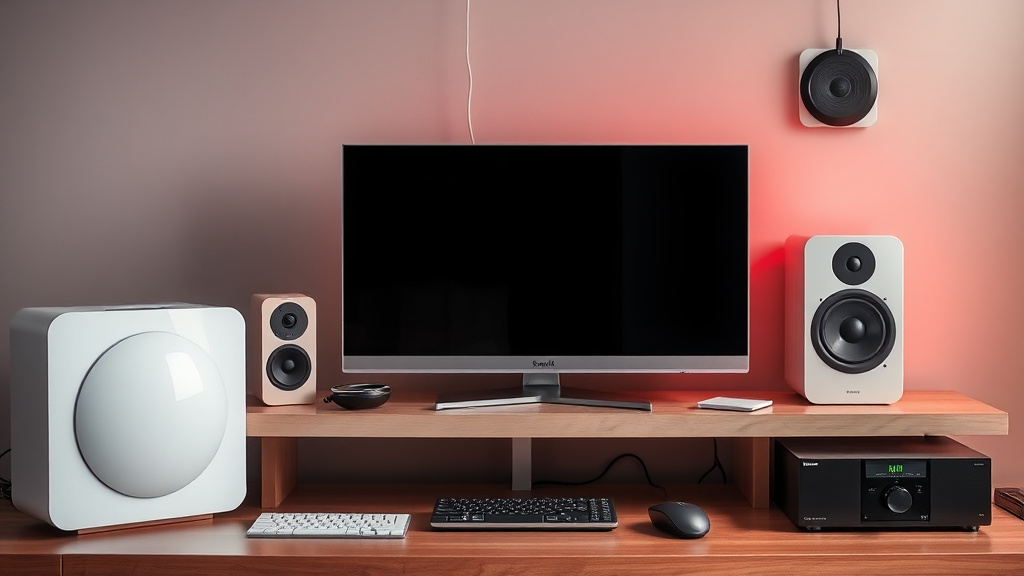
Consumer electronics jargon can be confusing whether you’re shopping for a new TV, headphones, or smart home device. Navigating terms like “HDR,” “refresh rate,” or “latency” is easier when you understand what these phrases really mean, without the marketing fluff.
In this consumer electronics glossary, I break down essential jargon in plain language, so you can make smarter buying decisions and avoid getting sold on buzzwords alone.
Key takeaways
- Understanding common tech terms helps you compare products effectively.
- Key categories include display specs, audio features, connectivity, and performance metrics.
- Some jargon is marketing-driven and may exaggerate real-world impact.
- Knowing what specs matter for your use case prevents overspending on unnecessary features.
- The glossary covers foundational concepts that apply across TVs, phones, headphones, and more.
Displays and Visual Tech
Resolution: This is the number of pixels on a screen, usually given as width × height (e.g., 1920×1080). Higher resolution means more detail but also requires more processing power. The common tiers today are Full HD (1080p), 4K (2160p), and 8K (4320p), with 4K currently the sweet spot for most consumers balancing clarity and price.
Refresh Rate: Measured in Hertz (Hz), this is how many times per second your screen updates the image. A higher refresh rate (e.g., 120Hz vs 60Hz) results in smoother motion, noticeable in gaming and sports. But if your content or device output is locked at a lower FPS, a higher refresh rate won’t improve the experience.
HDR (High Dynamic Range): A technology that expands the brightness and color range on compatible displays, making images look more lifelike. HDR has several versions (HDR10, Dolby Vision, HLG), and performance varies significantly depending on the display’s brightness and color accuracy. Beware of “HDR” claims on screens that can’t hit high peak brightness—results won’t wow.
OLED vs. LED: OLED panels produce perfect blacks by turning pixels off individually, leading to superior contrast and viewing angles. LED TVs use LCD panels lit from behind, typically with lower black levels but can reach higher peak brightness at a lower cost. OLED is better in dark rooms; LED may work better in very bright environments.
Latency: Often called input lag in displays, it’s the delay between an input (like pressing a button) and its reflection on-screen. Lower latency is critical for competitive gaming. Latency over 30ms can be noticeable and detrimental for fast-paced action.
Audio Jargon Explained
Impedance: Measured in ohms, impedance affects how much power headphones or speakers need from your device. Lower impedance (under 50 ohms) generally means easier to drive and compatible with phones and laptops. High impedance units (above 250 ohms) usually deliver better sound but require dedicated amps.
THD (Total Harmonic Distortion): Expresses the amount of distortion added by audio equipment, shown as a percentage. Lower is better, with 0.1% or less considered transparent. However, small differences under 0.5% aren’t easily audible in casual listening.
Active Noise Cancellation (ANC): Technology that uses microphones and signal processing to reduce ambient sound. Effective ANC can sharply cut low-frequency noise like airplane engines but struggles with sudden or higher-pitched sounds. Budget devices often claim ANC but deliver modest results compared to premium models.
Frequency Response: The range of audio frequencies a device can reproduce, measured in Hertz (Hz). Humans typically hear between 20Hz and 20kHz, so wider ranges (like 10Hz–40kHz) are marketing-heavy, often beyond what’s audibly meaningful.
Connectivity Terms
Bluetooth Versions: Bluetooth tech evolves over versions, with 5.0 and above offering longer range, better speed, and lower power usage. Newer versions also improve audio quality and stability but require compatible hardware on both ends.
Wi-Fi 6 and 6E: The latest Wi-Fi standards that improve speed, capacity, and reduce interference on crowded networks. 6E adds access to the 6GHz band, offering even less congestion and faster performance if supported by your router and device.
NFC (Near-Field Communication): A short-range wireless tech used for quick pairing and contactless payments. Not all devices have NFC, so check if it’s important for your use case.
USB-C vs. USB-A: USB-C is the newer standard that supports faster data transfer, power delivery, and can handle video output. USB-A is the older widespread port, limited in speed and power. Most modern laptops and phones are shifting to USB-C, but accessories may still use USB-A.
Performance and Battery
Clock Speed: Mostly applies to processors and GPUs, clock speed (in GHz or MHz) determines how many operations a chip can perform per second. However, more GHz doesn’t always mean better overall performance because architecture matters more than raw speed.
Cores: Modern processors have multiple cores to handle tasks in parallel, improving multitasking and efficiency. For phones and laptops, 4 or more cores are standard; for gaming or video editing, 6 or 8 cores is common.
Battery Capacity: Measured in milliamp-hours (mAh), it indicates how much charge a battery can hold. Larger numbers usually mean longer battery life, but efficiency also depends on software optimization, screen size, and device usage.
Fast Charging: Technology that allows batteries to recharge more quickly by increasing the power rate. Charging speed can vary widely, and you often need compatible chargers and cables. Beware of exaggerated claims that don’t reflect real-world charging times.
Glossary Table: Quick Reference
| Term | Definition | Why it Matters |
|---|---|---|
| Resolution | Number of pixels on screen (width × height) | Higher detail and clarity |
| Refresh Rate (Hz) | Number of times screen updates image per second | Smoother motion, important for gaming |
| HDR | Expands brightness and color range | More lifelike images |
| OLED | Pixels emit own light, perfect blacks | Better contrast, viewing angles |
| Latency (ms) | Delay from input to display | Critical for fast-paced games |
| Impedance (ohms) | Resistance speakers/headphones present to device | Affects power needs and compatibility |
| THD (%) | Amount of audio distortion | Lower means cleaner sound |
| ANC | Active noise cancellation reduces ambient noise | Better listening in noisy environments |
| Bluetooth Version | Wireless standard version | Range, speed, power efficiency |
| Wi-Fi 6/6E | Latest Wi-Fi standards | Faster, more reliable network |
| NFC | Near-field wireless for quick pairing | Convenience in payments and connections |
| USB-C | Modern USB port with multiple functions | Faster data, charging, video |
| Clock Speed (GHz) | Processor speed | Rough indicator of speed |
| Cores | Number of processor cores | Multitasking and load handling |
| Battery Capacity (mAh) | Battery charge capacity | Potential runtime between charges |
| Fast Charging | Technology for quicker battery recharge | Less downtime |
What to Watch Out For
While knowing these terms helps, always consider the context. Marketing can overstate specs like “HDR” or “high-res audio” that don’t always improve your experience without other supporting hardware. Also, specs tell only part of the story—reviews and testing often reveal usability, software stability, and real-world performance.
I’ve tested products across categories, and a balanced approach focusing on features relevant to your needs and budget yields the best buying outcomes. For example, a gamer prioritizes refresh rate and input lag, while a traveler may value battery life and ANC headphones most.
Related reading
- consumer electronics: budget vs premium — what actually matters
- How we test and score consumer electronics — methodology explainer
- Common consumer electronics mistakes and better alternatives
- When to upgrade your consumer electronics setup
- consumer electronics brands we recommend vs avoid
FAQ
What’s the difference between OLED and LED TVs?
OLED displays turn off individual pixels to create perfect blacks, resulting in superior contrast and viewing angles. LED TVs use LCD panels with backlighting, typically cheaper and brighter but with less accurate blacks. Your room lighting and budget usually dictate which is better.
Does higher refresh rate always mean a better display?
Not necessarily. Higher refresh rates like 120Hz provide smoother motion, but only if the content or device outputs enough frames per second. For regular TV shows or movies at 24–30fps, a higher refresh rate doesn’t improve quality much.
Is active noise cancellation worth it on budget headphones?
Budget ANC is hit-or-miss. Many cheaper models only offer minimal noise reduction, mostly for steady sounds like engine hum, but can struggle with sudden noises or higher frequencies. For reliable ANC, it’s better to invest in well-reviewed mid-range or premium headphones.
What does USB-C offer over older USB ports?
USB-C supports faster data transfer, higher power delivery for charging, and video output through a single reversible connector. It’s gradually replacing USB-A as the standard port on modern devices, improving versatility and convenience.
How do I know which display resolution is right for me?
4K resolution is now the standard for TVs and many monitors, balancing clarity and content availability. For smaller screens like laptops or phones, Full HD (1080p) often suffices, unless you want very sharp images or plan professional photo or video work.
Understanding consumer electronics jargon makes comparing products less daunting and lets you spot marketing hype from genuine innovation. Keep this glossary handy when browsing specs, and you’ll be better equipped to pick electronics that truly fit your needs.