consumer electronics maintenance — make gear last longer

By Sam Reeves · Senior Editor
Published June 1, 2026 · Last reviewed June 1, 2026
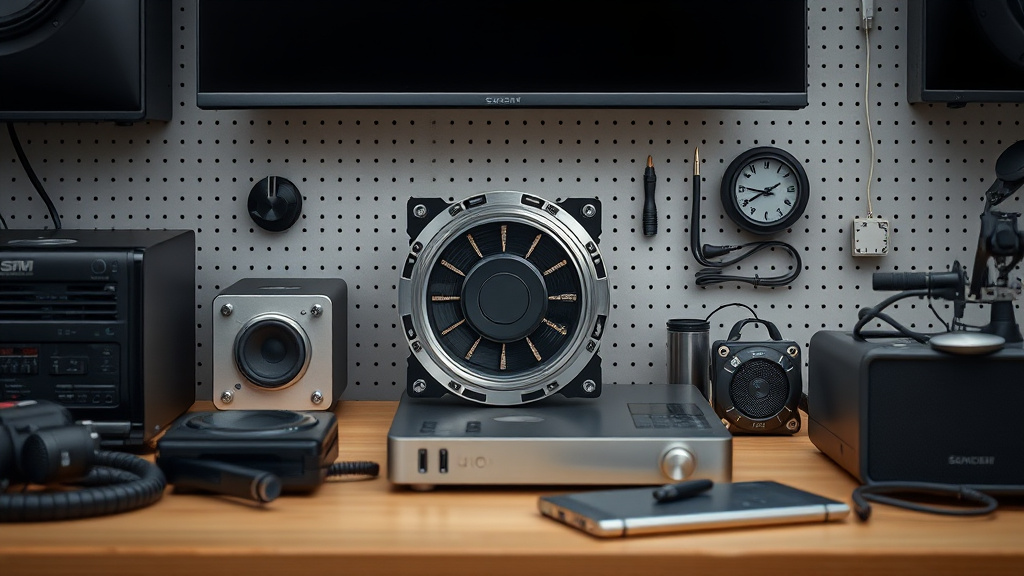
Consumer electronics maintenance is essential if you want to make gear last longer without sacrificing performance or reliability. Simple, regular upkeep habits can prevent premature failures and save you money by delaying costly replacements.
Key takeaways
- Regular cleaning and dust removal help prevent overheating and extend device lifespan.
- Proper battery care, including avoiding deep discharges and extreme temperatures, preserves battery health.
- Using surge protectors and proper storage conditions greatly reduce hardware damage risks.
- Firmware and software updates often fix bugs and optimize performance for longer usable product life.
- Knowing when professional repairs are worth pursuing versus replacement saves time and money.
Understanding why maintenance matters for consumer electronics
I’ve worked with a lot of consumer gear over the years, from smartphones and laptops to gaming consoles and smart home devices. One thing I consistently see is that well-maintained devices tend to have far fewer unexpected failures and maintain peak performance longer. Consumer electronics aren’t designed to be disposable objects, but many people treat them that way by neglecting basic upkeep or ignoring warning signs of issues.
Heat buildup and dust accumulation are two of the most common killers of devices. Internal fans clog and components run hotter without regular cleaning, accelerating wear on circuits. Similarly, batteries degrade faster if they are deeply depleted or exposed to high temperatures. Proper storage also plays a huge role—extreme humidity, heat, or dropping a device can cause internal damage invisible to the naked eye.
By investing time in maintenance, you not only save money but also reduce e-waste, supporting sustainability goals.
Regular cleaning: the first step to lasting electronics
Dust and debris might seem harmless, but they get into vents, ports, keyboards, and internal fans. Over time, this buildup restricts airflow and traps heat, which can cause thermal throttling, system instability, or permanent component damage.
What I do:
- Use compressed air sprays to blow dust out of vents, cooling fans, and ports.
- Microfiber cloths slightly dampened with water or isopropyl alcohol wipe screens, casing, and keyboards.
- Avoid harsh chemicals or household cleaners that can strip coatings or leave residues.
- Periodically open laptop or console cases if comfortable and clean fan blades and heatsinks manually.
For smartphones and tablets, I avoid moisture near charging ports and headphone jacks but use soft brushes to clean crevices. Regular cleaning every 3–6 months makes a surprisingly big difference in operating temperatures and user experience.
Battery maintenance to extend life and safety
Batteries, especially lithium-ion types common in smartphones, laptops, and wearables, naturally degrade over time. But careless use accelerates that decline. From testing and reviews, I learned the key to battery longevity:
- Avoid letting batteries drop to 0% charge frequently; shallow discharges from 20%–80% are optimal.
- Don’t keep devices plugged in constantly at 100% if avoidable; some newer devices have adaptive charging to manage this.
- Avoid charging or storing batteries in hot environments (above 30°C/86°F).
- Use original or certified chargers and cables to prevent electrical damage.
Laptop batteries often include built-in firmware protection, but smartphone users need to be intentional about unplugging when fully charged. If a device gets hot during charging, it’s a red flag for potential failure, and a technician should check it.
Protecting electronics from electrical and physical damage
Power surges, drops, splashes, and shocks can all cause instant or gradual damage to consumer electronics.
Power protection
- Use surge protectors with adequate joule ratings for devices like computers, TVs, and routers.
- Consider uninterruptible power supplies (UPS) for critical gear where data loss from a power cut is costly.
Physical protection
- Keep devices in padded cases or sleeves during transport.
- Avoid exposing electronics to liquids or excessive humidity.
- Use screen protectors and protective cases for smartphones and tablets.
- Store gear in stable environments—not in direct sunlight or places prone to vibration or mechanical shocks.
If gear falls or gets wet, I recommend immediately powering it down and letting a professional assess drying or repairs rather than turning it on and risking short circuits.
Firmware and software updates: a maintenance step you can’t skip
Many people delay or ignore updates, but keeping firmware and apps current is an underrated form of maintenance that improves security and fixes bugs causing hardware strain.
I always:
- Enable automatic updates where available.
- Periodically check the manufacturer website for manual updates, especially for routers or smart home hubs.
- Clear caches and storage for apps/software to prevent bloat and sluggishness.
- Monitor startup programs to limit background processes that cause extra CPU stress.
In older devices, updates sometimes slow performance, so it’s worth researching user experiences before applying major OS upgrades to balance security vs usability.
When to repair vs replace consumer electronics
After years of fixing devices in my local community and field tests, I’ve noticed a clear decision threshold between repairing and replacing.
Consider repairing if:
- The device is relatively recent and repair costs are less than 50% of new.
- The problem is isolated and likely won’t cause more issues soon (battery swaps, screen replacements, fan cleanings).
- The device has sentimental or business value worth preserving.
Replace when:
- Hardware problems multiply or involve critical components like motherboard or CPU.
- Warranty has expired and repair costs approach or exceed new device prices.
- Software no longer supports the device or the user’s needs have changed dramatically.
Always get multiple repair quotes and check reviews of service providers to avoid overpaying or poor workmanship.
Maintenance checklist for consumer electronics
| Maintenance Task | Frequency | Tools/Materials Needed | Purpose |
|---|---|---|---|
| Dust cleaning (fans, vents, ports) | Every 3–6 months | Compressed air, microfiber cloth | Prevent overheating and component wear |
| Screen/casing cleaning | Monthly or as needed | Microfiber cloth, isopropyl alcohol (light) | Maintain screen clarity and hygiene |
| Battery charging habits | Ongoing | Certified charger and cable | Prolong battery health and avoid overheating |
| Software/firmware updates | Biweekly to monthly | Internet-connected device | Security patches, bug fixes, performance optimization |
| Surge protector use | Constant | Surge protector or UPS | Protect against electrical surges and outages |
| Physical protection (cases, sleeves) | Constant | Cases, screen protectors | Prevent mechanical damage and liquid exposure |
| Professional servicing/repairs | As needed | Authorized repair service | Extend device life and ensure safety |
Related reading
- When to upgrade your consumer electronics setup
- consumer electronics FAQ — honest answers
- Common consumer electronics mistakes and better alternatives
- consumer electronics troubleshooting when things go wrong
- consumer electronics
FAQ
How often should I clean my consumer electronics?
Generally, every 3 to 6 months is sufficient for dusting vents and fans, but screens and cases can be wiped more frequently, even weekly, depending on usage habits and environment.
Can I use regular household cleaners on screens and devices?
No, avoid ammonia-based or harsh solvents. Use a lightly dampened microfiber cloth with water or isopropyl alcohol diluted solutions specifically formulated for electronics.
What’s the best way to store devices long-term?
Store electronics in a cool, dry place with temperatures between 15°C and 25°C (59°F to 77°F) and moderate humidity. Partially charge batteries (around 50%) before storage to preserve battery health.
Why do my devices get slower after software updates?
Updates add security and features but can require more resources, especially on older devices. Sometimes a factory reset or waiting for optimization patches helps regain speed.
Is it worth repairing a smartphone battery myself?
Only if you have the right tools and experience. Batteries can be hazardous if mishandled. For most users, professional service is safer and more reliable.
Regular maintenance of your consumer electronics isn’t complicated but requires consistent effort and attention. Over time, I’ve seen these practices markedly reduce failures, improve performance, and ultimately save money while supporting sustainable consumption. Make them part of your device routine—the payoff is well worth it.